
Add an alternative SKU or barcode
Use this when a supplier’s invoice code isn’t your SKU, or new packaging has a second barcode. The code belongs to the product, so it works at every store that carries it.
-
In the menu, click Products, then Products.
-
Search for the item and click its name. Edit Product opens.
-
Click Alt Barcodes/SKUs (under Inventory & Stock).
-
Under Add alternative barcode/SKU/vendor:, fill in what you have:
- Barcode. An extra barcode to scan. Leading zeros are dropped.
- SKU. The supplier’s item code, as printed on their invoice.
- Vendor, if the code belongs to one supplier. Picking one shows Cost, and then you have to fill it in.
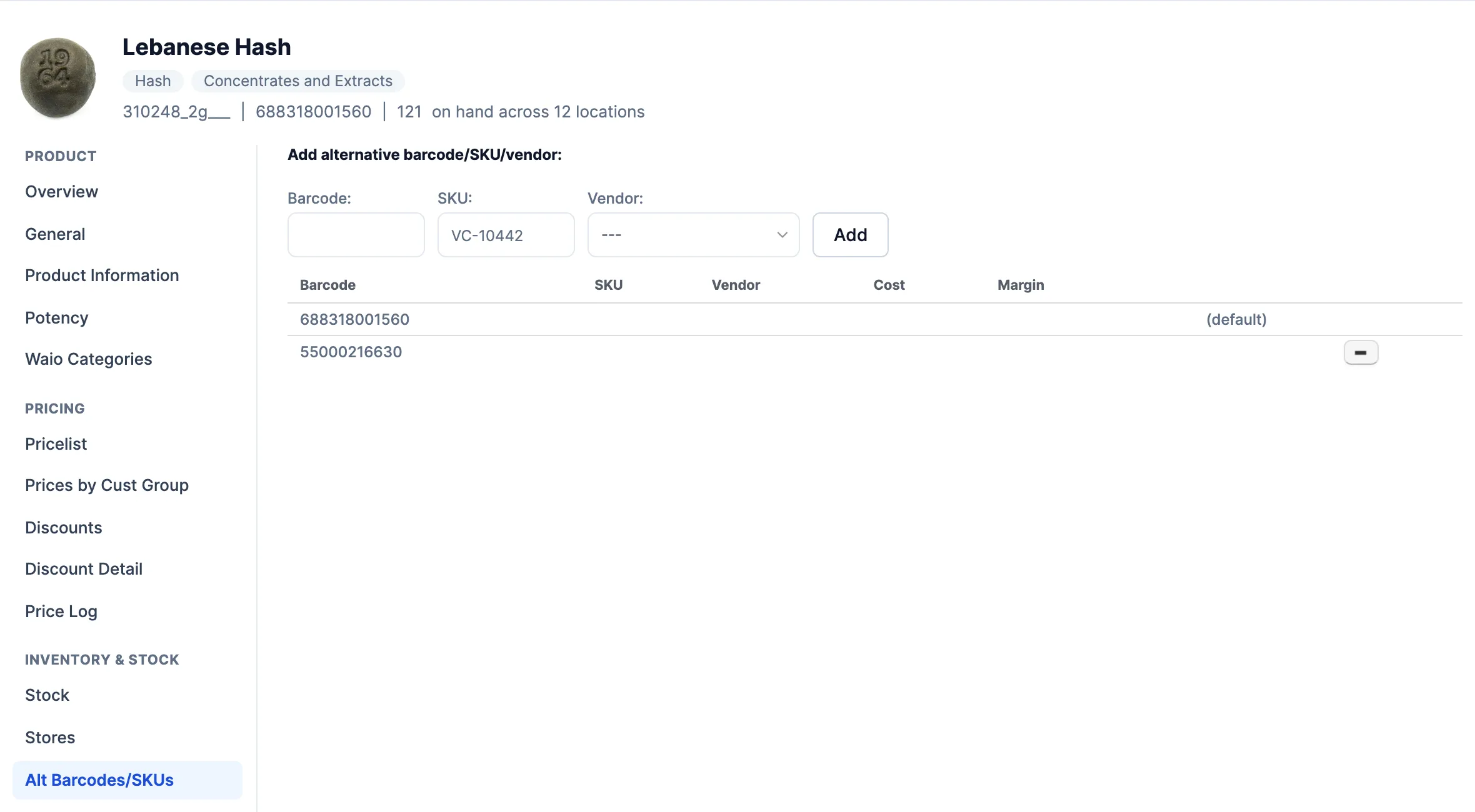
-
Click Add, or press Enter. The code shows as a new row in the table. Typing in the boxes without clicking Add saves nothing.
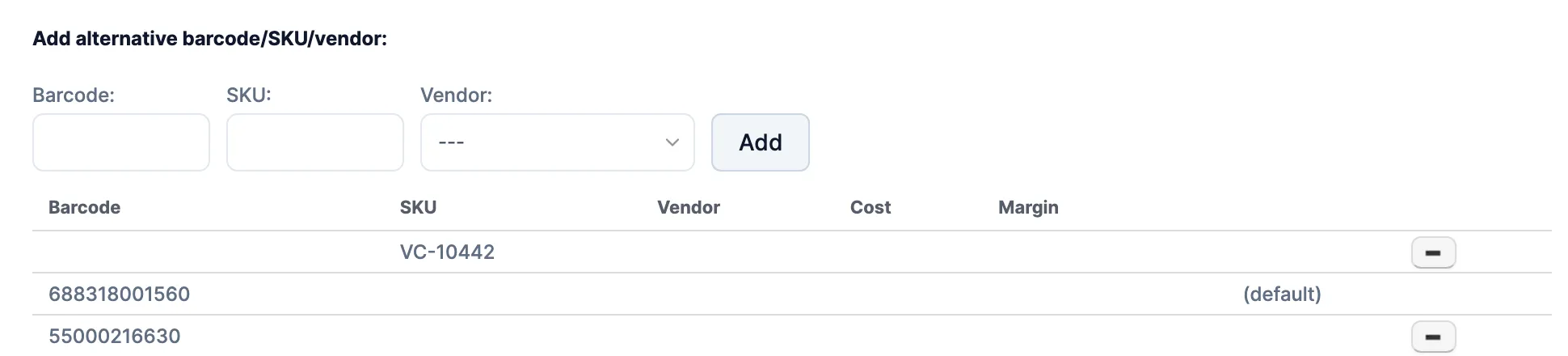
-
Click Save Changes.
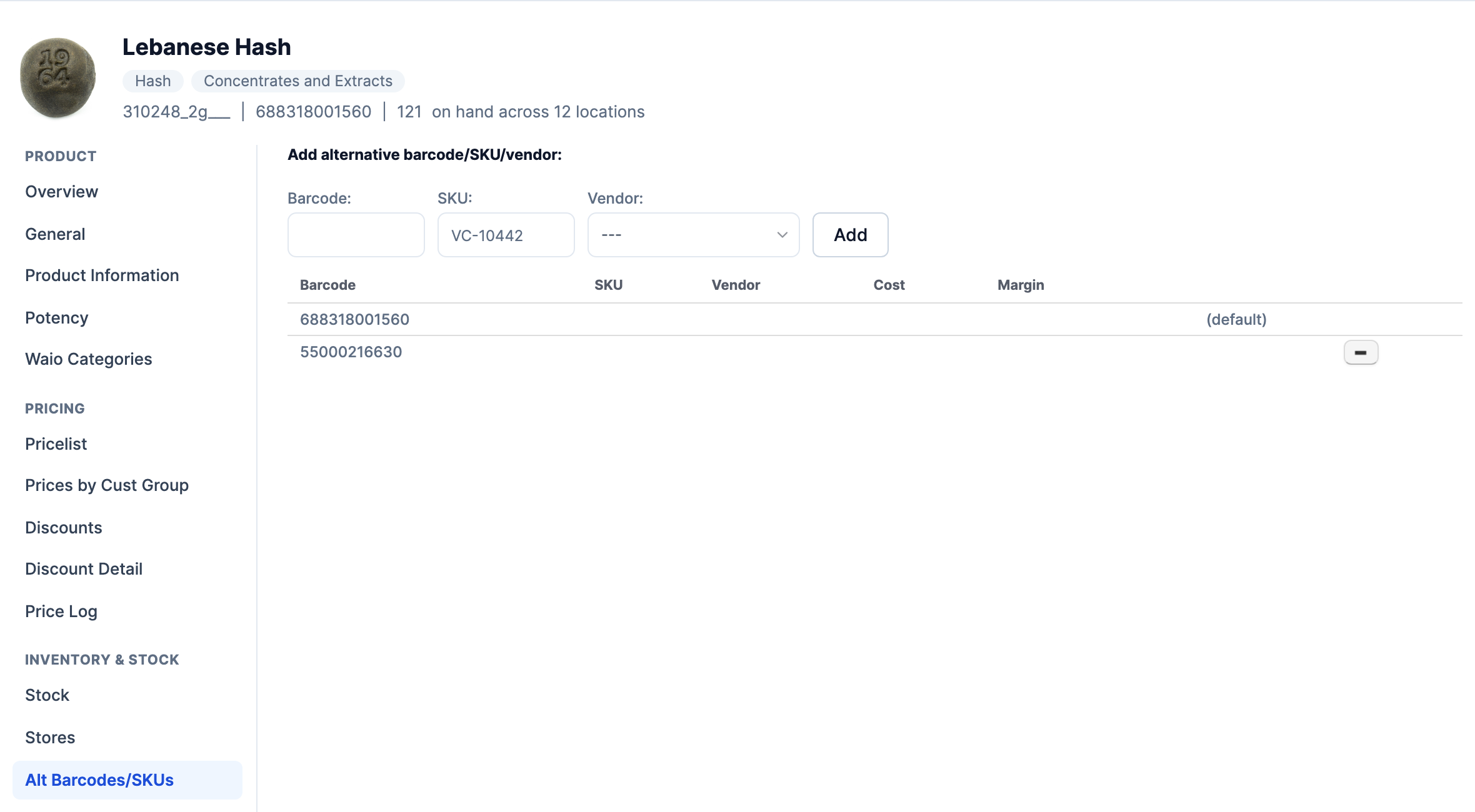
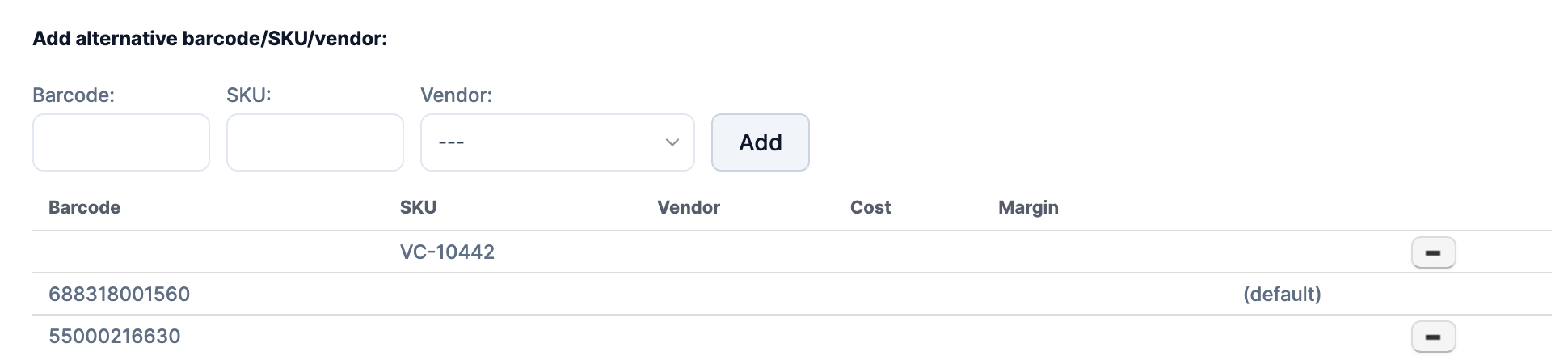
To check it saved, close the product, open it again and look for the row.
To remove a code, click - on its row, confirm, then click Save Changes. The (default) row is the product’s own barcode and can’t be removed here.
Good to know
Section titled “Good to know”- If the code is gone when you reopen the product, another item already uses it. Search the product list for the code; the search finds alternative codes too. If another item has it on its Alt Barcodes/SKUs tab, remove it there and save, then add it here again. If nothing comes up, the code is on a deleted item. Contact WAIO support with the product’s SKU and the code.
- Invoice imports (Import then Invoice on a purchase order) match on the product’s SKU, then its alternative SKUs. They never use barcodes, so a supplier’s item code goes in SKU. If another item has that code as its main SKU, imports keep matching that item.
- The POS finds the product by its barcode, its SKU, or any alternative barcode or SKU.