
Report a bug, outage or hardware problem
Use this when a screen, report, register or device isn’t doing what it should. For a receipt printer, ask Support Chat “POS is not printing receipts” first. It walks you through the printer checks.
-
Check how far it reaches. Is it one screen or every screen? Just you, or everyone? One store or several? Ask someone on another computer.
-
If a page won’t load or keeps spinning, refresh it once with Ctrl+Shift+R (Windows) or Cmd+Shift+R (Mac). If it still fails, try it once in another browser.
-
Note what support will ask for:
- The screen or report name, and for a report, the store and dates you ran.
- The exact error text, word for word.
- When it started, and whether it’s still happening.
- One example: a receipt number, SKU, invoice or PO number.
- For hardware, the register or computer name. If a register won’t start, move to another one and take a photo of its screen.
-
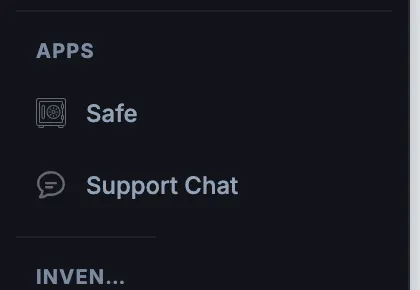
In the menu, under Apps, click Support Chat.
-
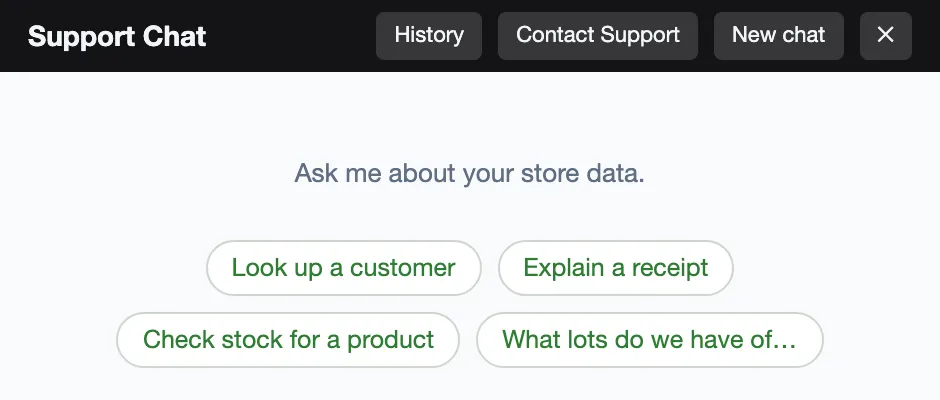
Click Contact Support at the top of the chat. The chat closes and the support messenger opens with your store, your name and the last few messages of the chat already filled in.
-
Add what the message is missing from step 3. Long chat messages are cut short, so check the key details made it in.
-
Attach your screenshot or photo, then send.
Good to know
Section titled “Good to know”- If a card payment fails or times out, the card may still have been charged. If the POS says Previous payment was approved or Previous payment may have charged the card, check that receipt before you charge again.
- A red Offline Mode or amber Slow Connection label at the bottom left of the POS means that register isn’t reaching WAIO. Check the other registers and the store’s internet.
- If Save says it worked but the change is gone when you reopen it, don’t keep entering it again. Tell support how many times you tried and what you entered.