
Take a payment
Use this once the sale is in the cart (see Ring up a sale). Money going back to a customer is a refund, not a payment.
-
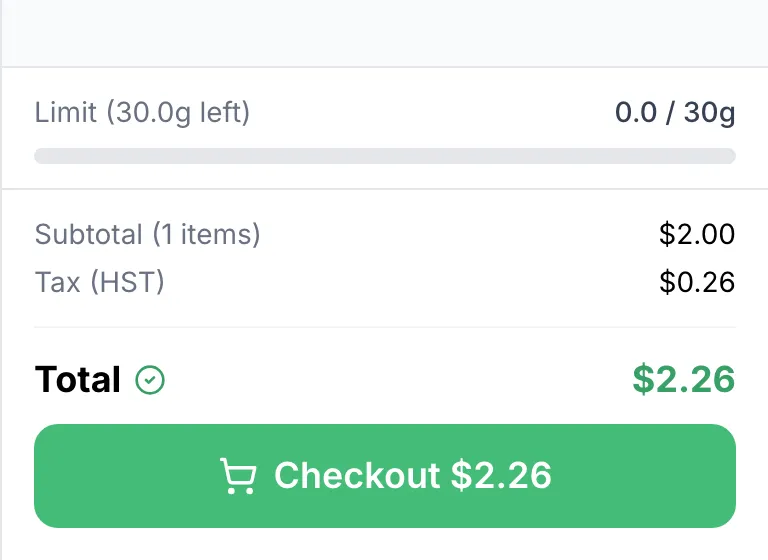
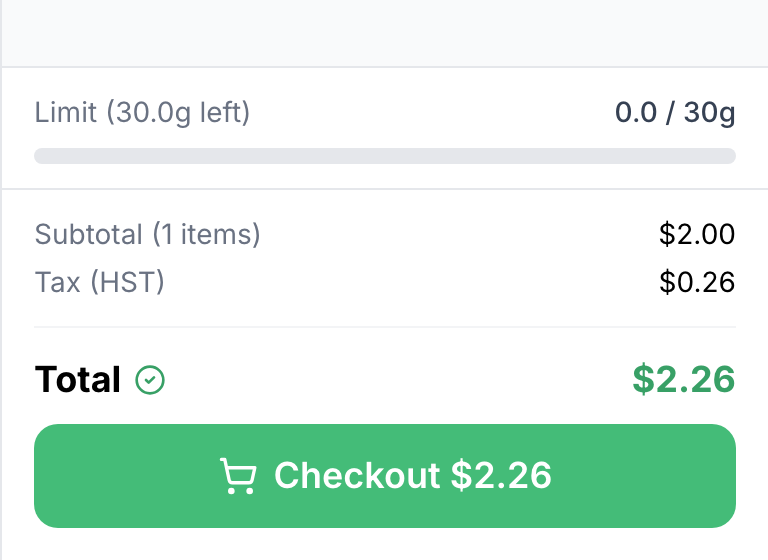
Tap Checkout $… at the bottom of the cart. It reads Calculating… for a moment after each change; wait for the total.
-
If the POS asks ID Check Required, check the customer’s ID against the Born on or before date and tap Yes, ID Checked.
-
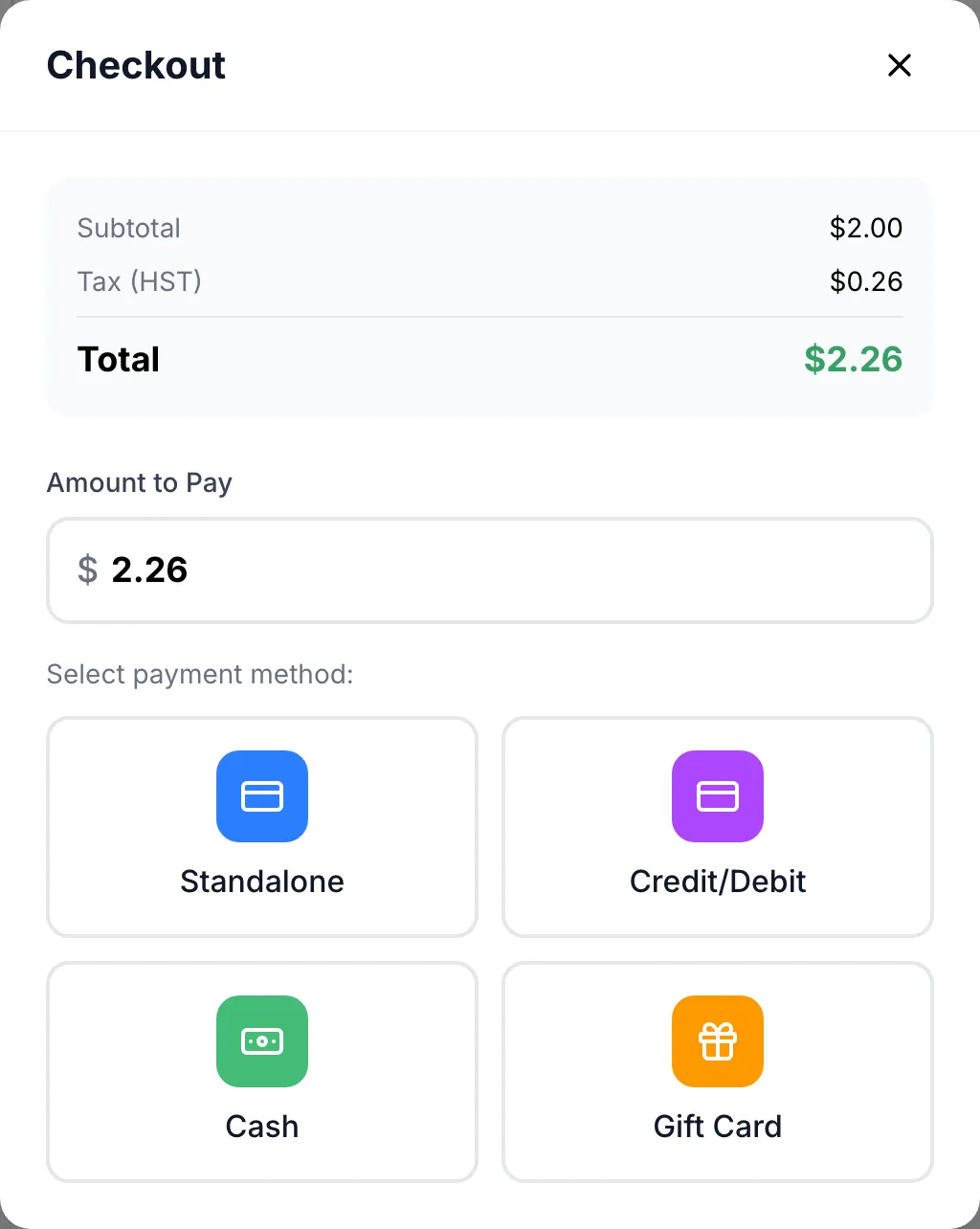
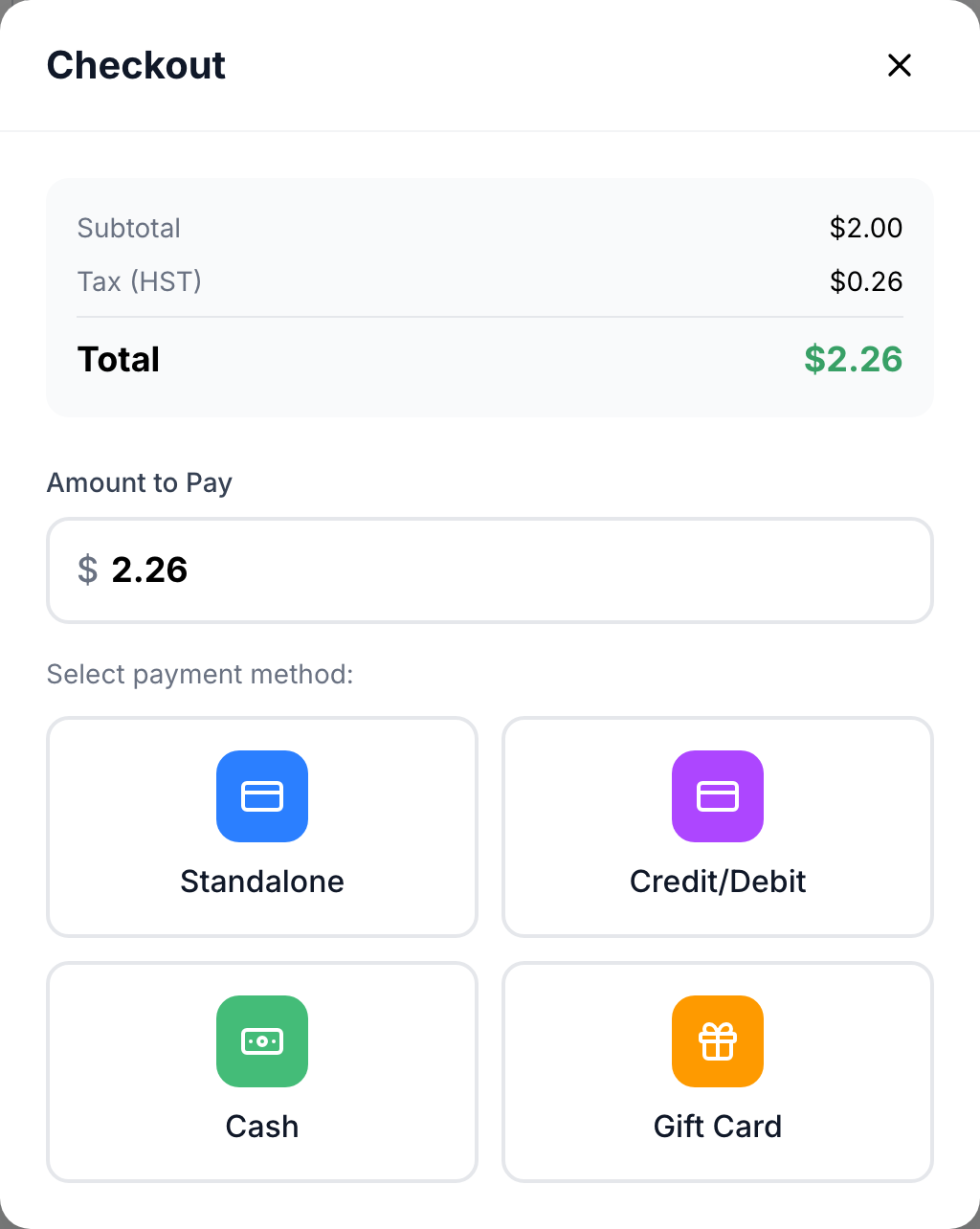
Amount to Pay holds the whole balance. To split the payment, change it to the part this method covers.
-
Under Select payment method:, tap how the customer pays:
-
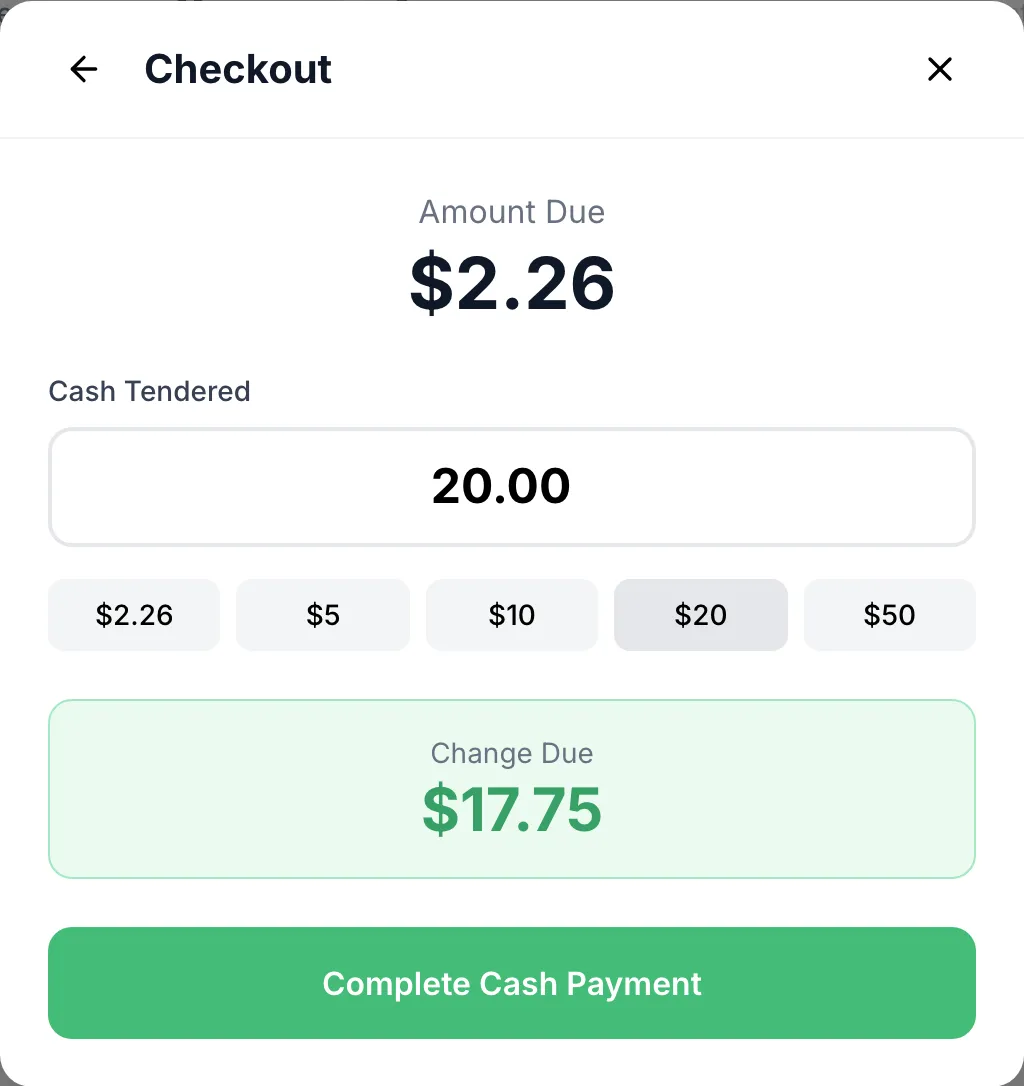
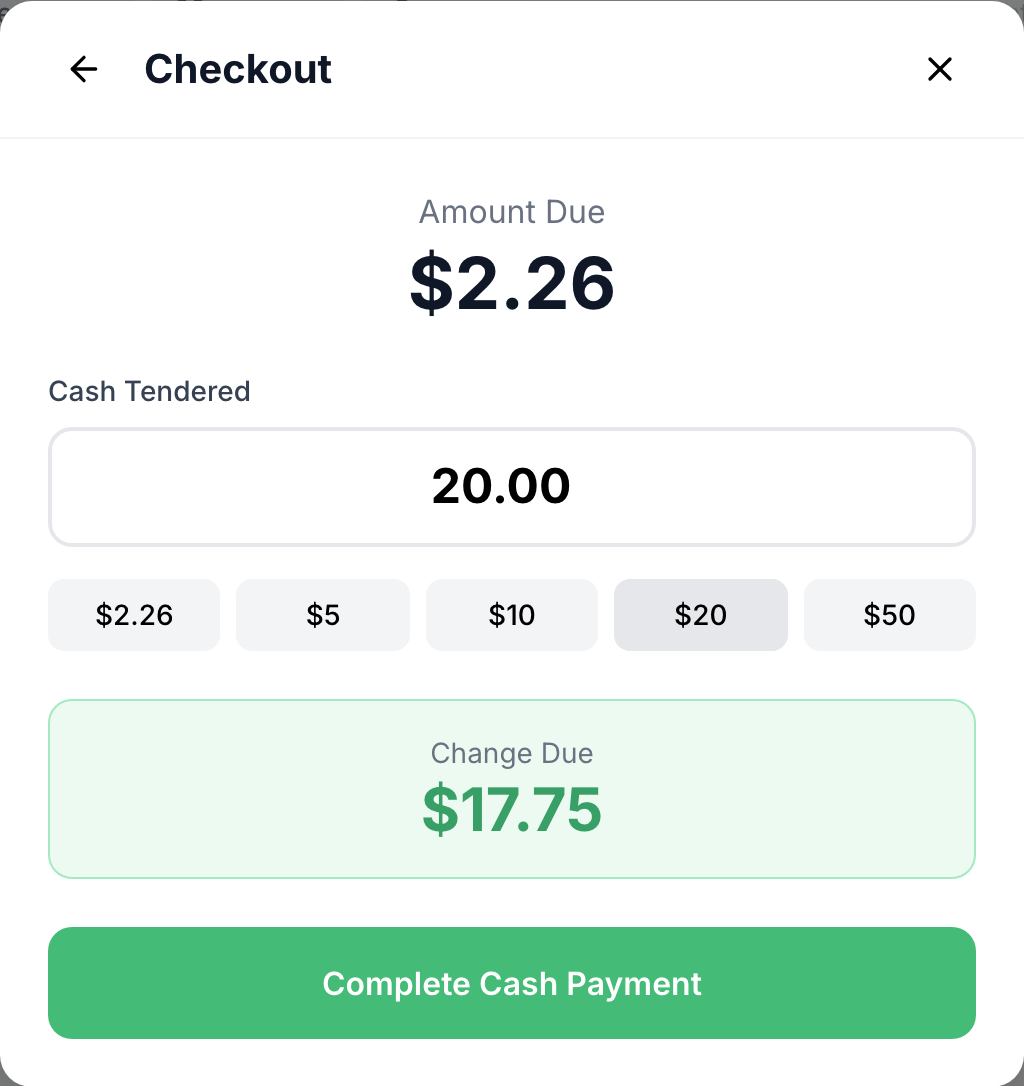
Cash: type what they hand you in Cash Tendered, or tap a quick amount. Change Due shows what to give back. Tap Complete Cash Payment.
-
Credit/Debit: the amount goes to the card terminal. Follow the prompts on the terminal; the POS shows the same prompts. To stop, tap Cancel Payment. A declined card shows Payment Failed; tap Try Again to pick a method again.
-
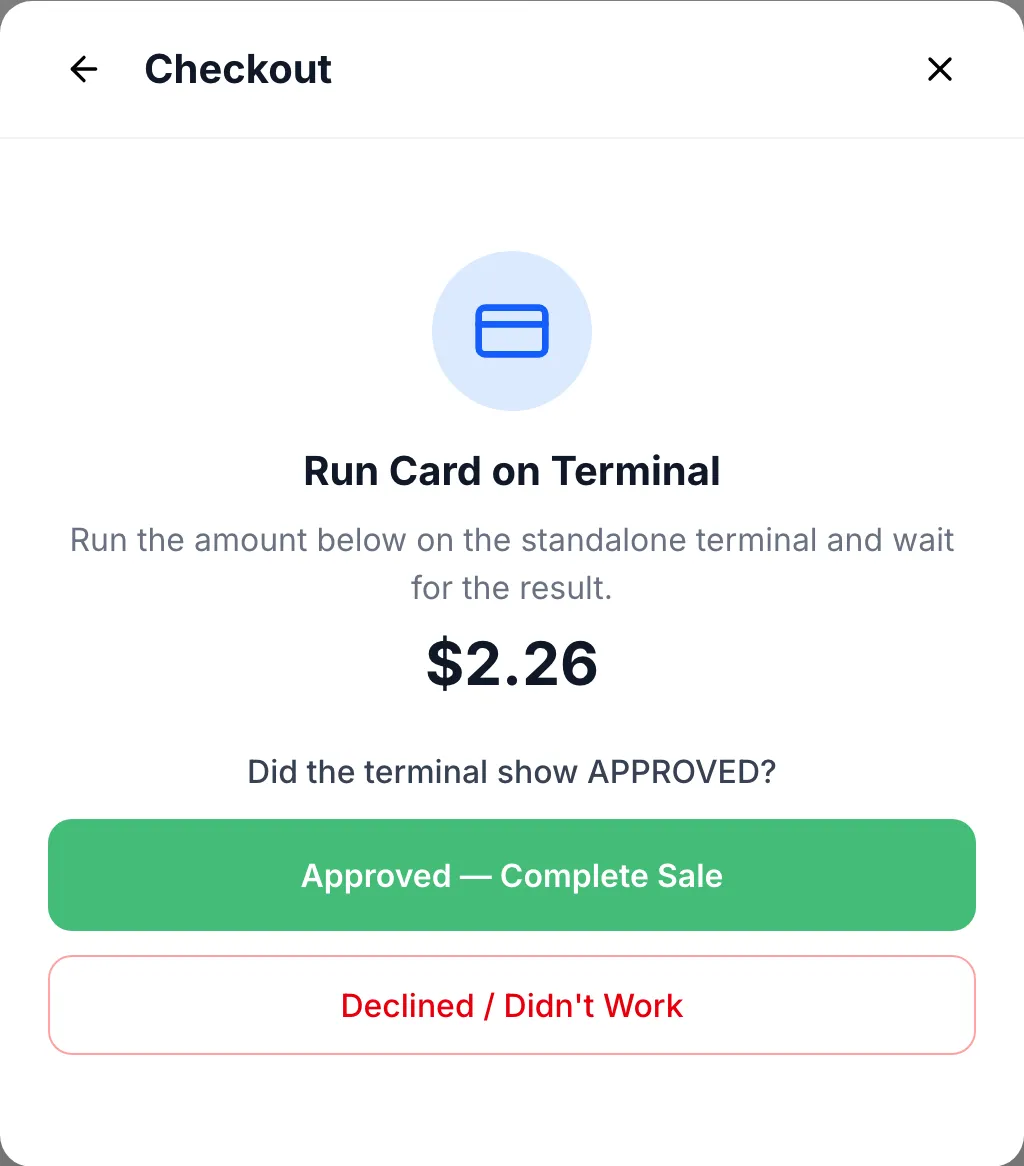
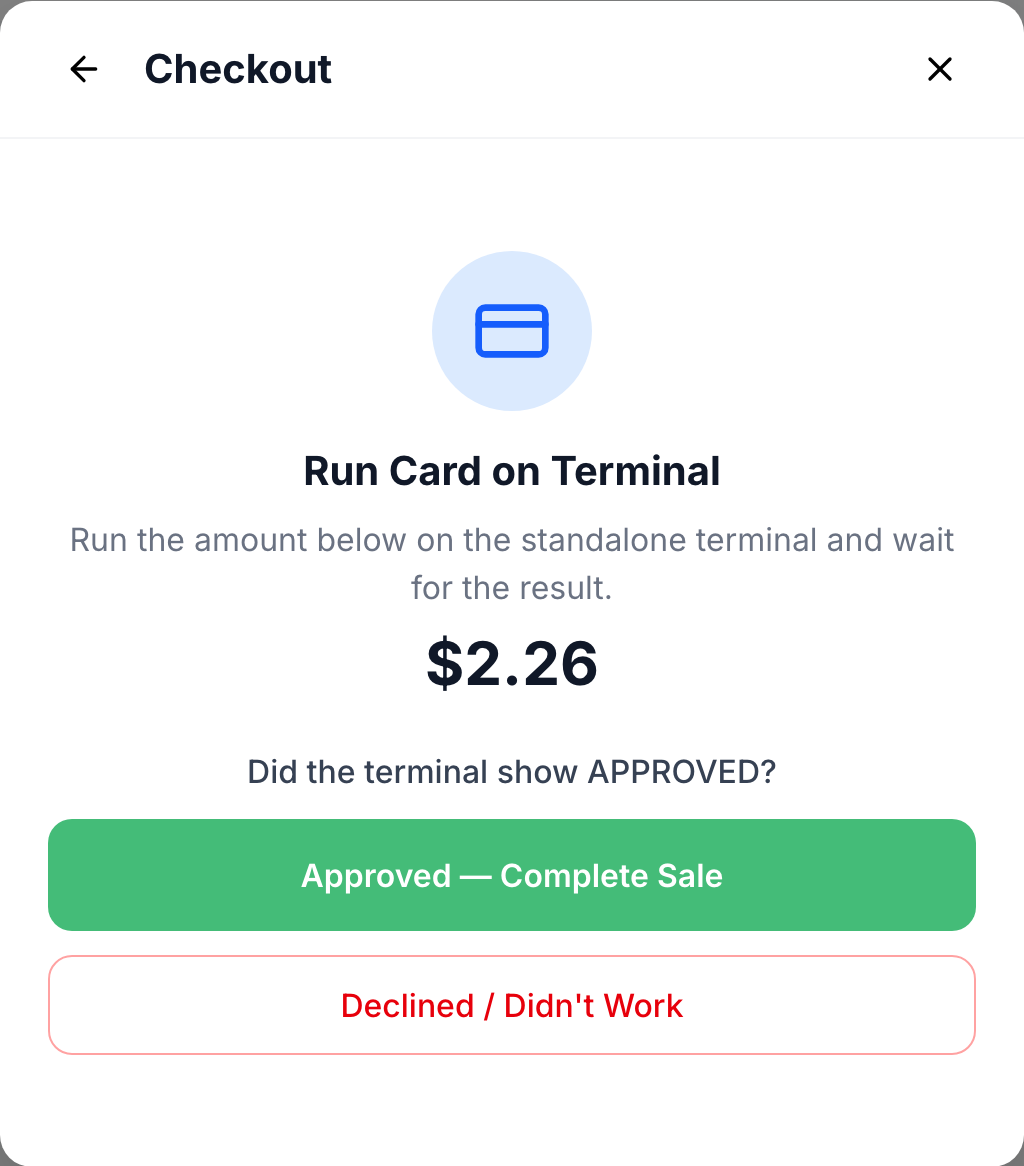
Standalone: for a terminal that isn’t connected to the POS. Pick the card type (Visa, Mastercard, AMEX or Interac), run the amount shown on the terminal, then tap Approved — Complete Sale only if the terminal showed APPROVED. If it didn’t, tap Declined / Didn’t Work. Nothing is recorded and you’re back at the payment methods.
-
Gift Card: type the number in Gift Card Number and tap Check. Some cards also ask for the PIN on the card. Tap Complete Gift Card Payment, or Apply $… when the card holds less than the amount.
-
-
If money is still owed, the POS shows Partial Payment with the remaining balance and goes back to the payment methods. Take the next part the same way. What’s been paid is listed under Payments So Far.
-
When the sale is paid, the POS shows Payment Successful! with the order number, and Change due after a cash payment. Tap Print Receipt if the customer wants one, then Done. The cart clears for the next customer.
Good to know
Section titled “Good to know”- A card payment can’t be more than the balance. Take any extra in cash.
- Paid part of a sale and the customer changed their mind? Under Payments So Far, tap the bin next to the payment to cancel it.
- Outside Sale Hours means nothing was charged and the store isn’t selling right now. Tap Back; you can still hold the sale.