
Create and send a purchase order
Use this to order stock from a vendor. Make the order at the store it’s for: at Head Office, switch to that store first (store name, top right). When the delivery arrives, receive it against the order.
Make the order
Section titled “Make the order”-
In the menu, click Inventory, then Purchase Orders.
-
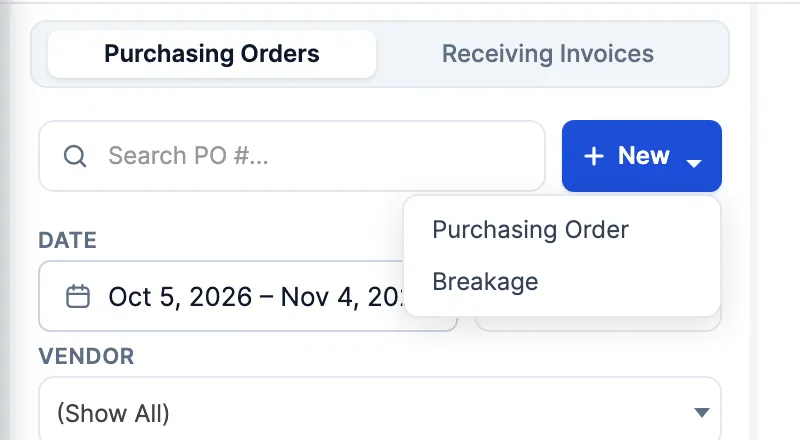
Click New, then Purchasing Order.
-
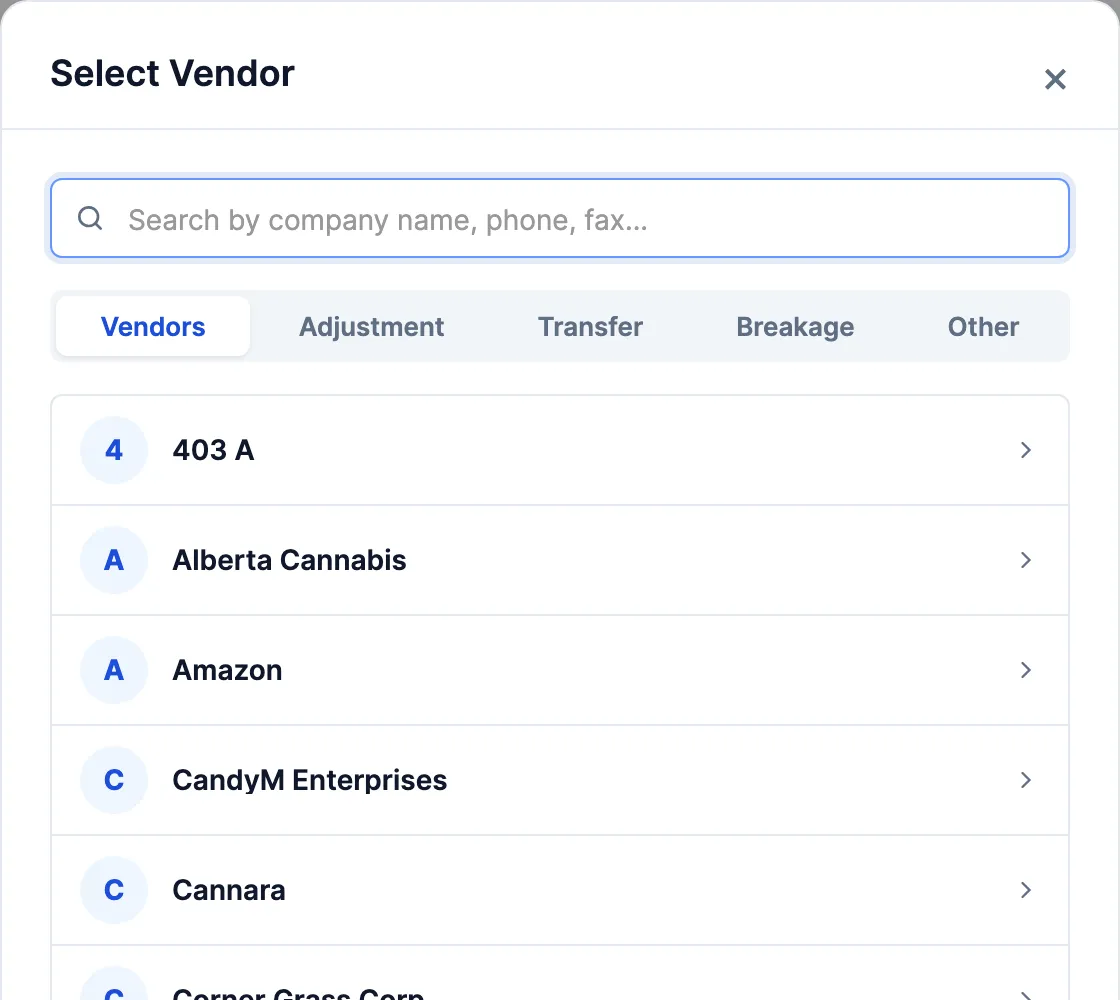
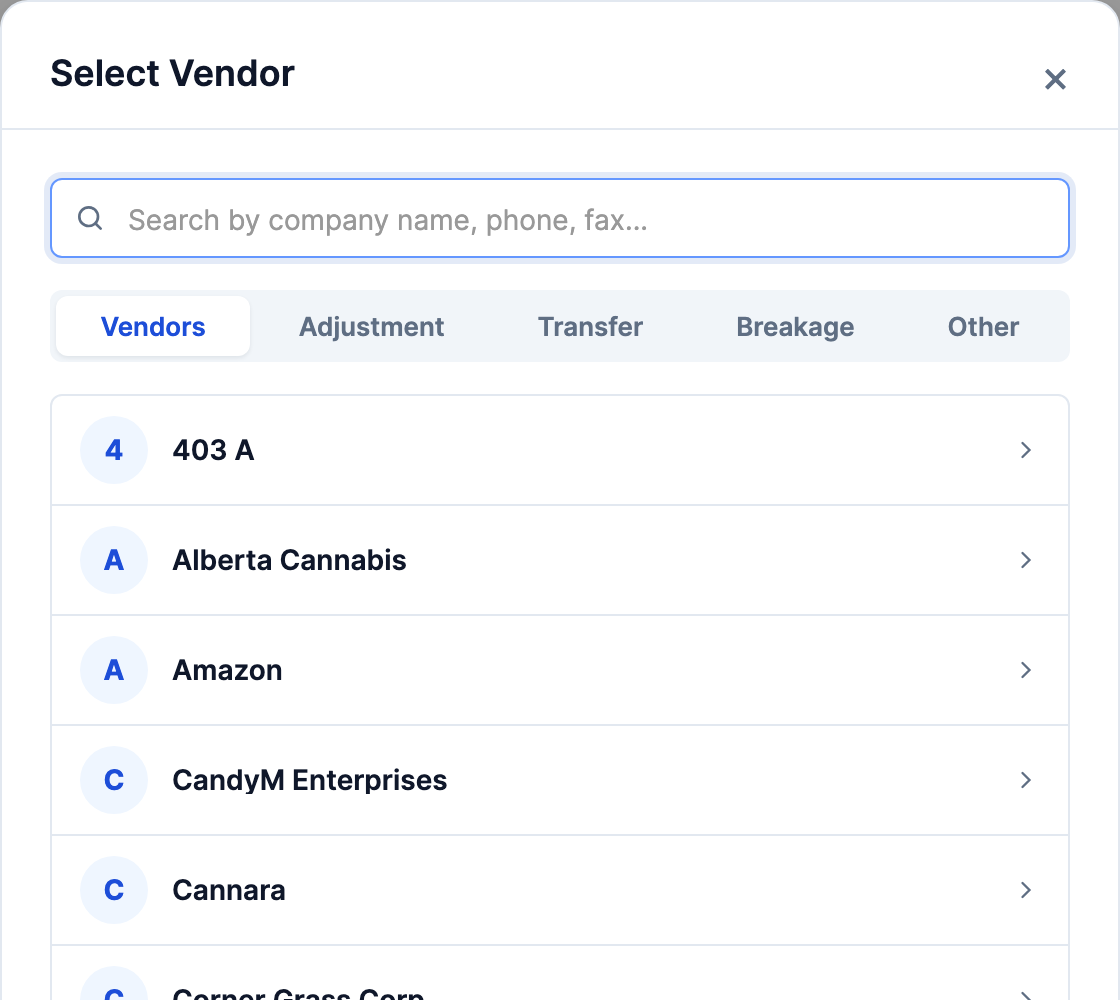
Pick the vendor in Select Vendor. Type part of the name, phone or fax to narrow the list. If the vendor has orders that haven’t been received yet, a warning lists them: click Yes to carry on.
-
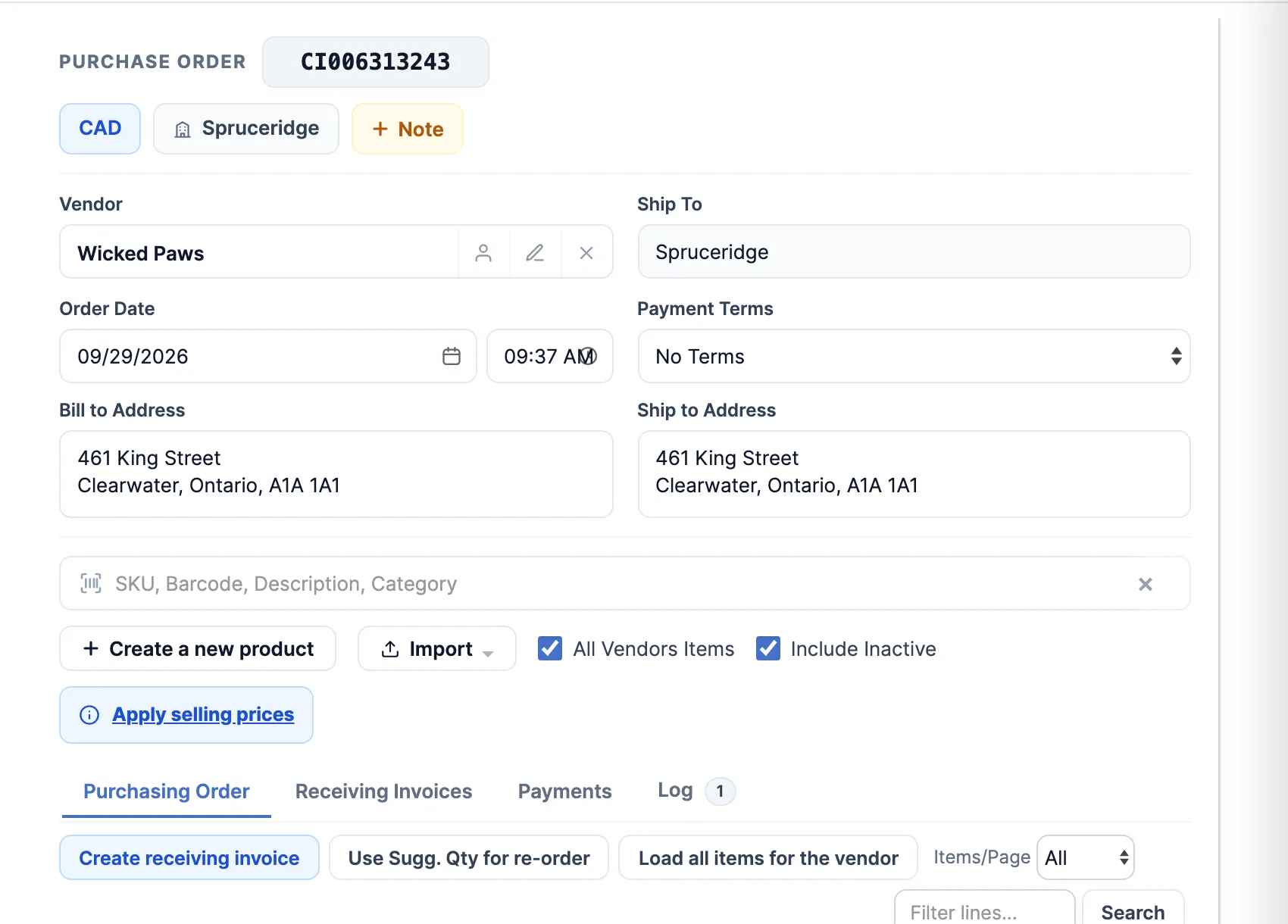
Add the products. Either:
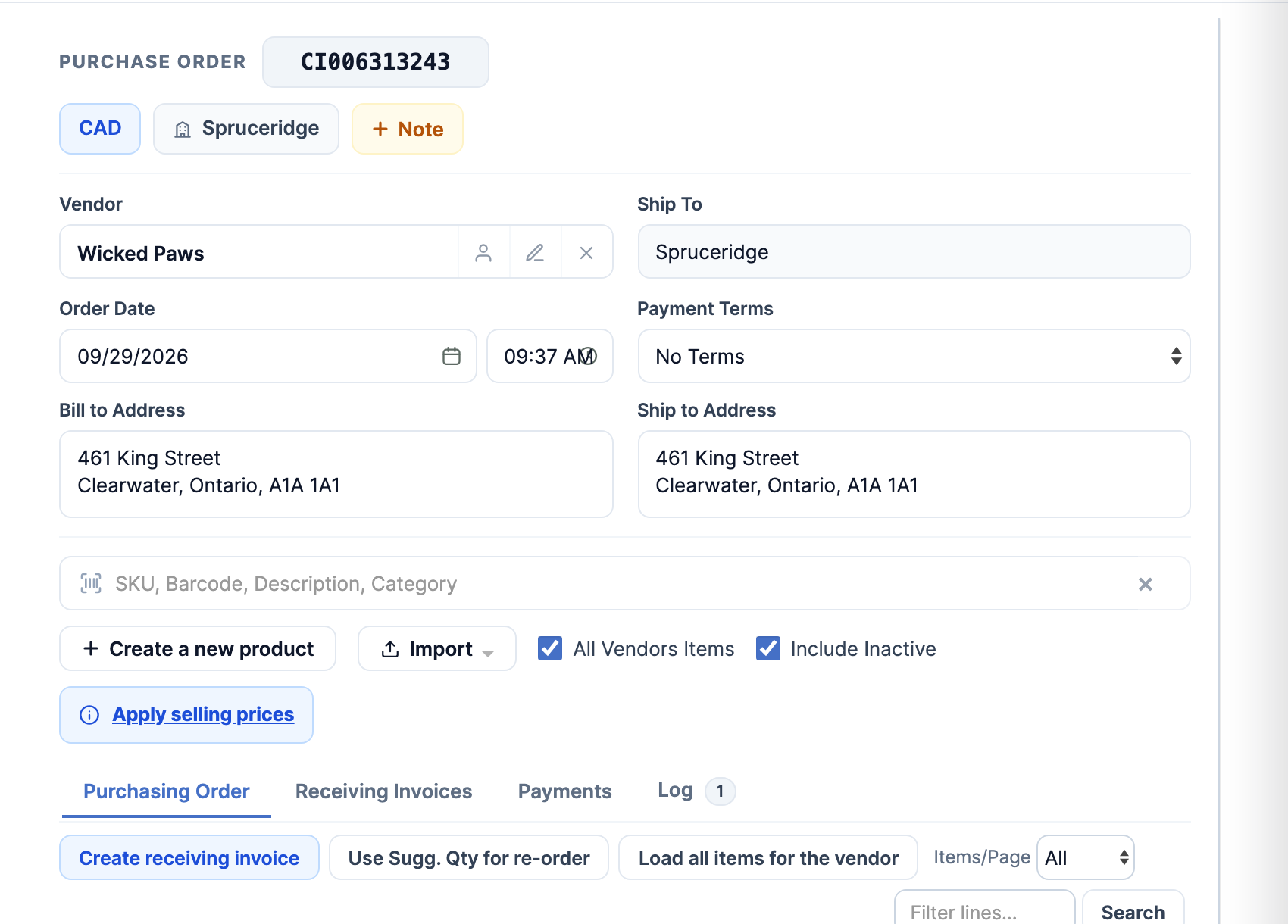
- Type a SKU, barcode, description or category in the search box under the addresses, and pick the product.
- Click Load all items for the vendor to list everything you buy from them, then Use Sugg. Qty for re-order to set each line’s quantity to its Sugg. figure.
-
Check each line’s quantity and cost.
-
If the vendor gives you terms, pick them in Payment Terms.
-
Click Save Order (bottom right).
Send it to the vendor
Section titled “Send it to the vendor”-
With the order open, click Place Order (bottom right), or the envelope beside the printer. The order saves, and Send order #… opens with the vendor’s email in To and the order attached as a PDF.

-
Check To, and click Send. The order shows Sent, in the list and at the top of the order, and its Log tab records who sent it.

Good to know
Section titled “Good to know”- Without the Send Purchasing Order permission, Place Order is hidden and the envelope is greyed out, except for vendors marked Local Supplier (vendor settings).
- Sugg. is the product’s minimum stock plus its recent sales, less what’s on hand and what was last received, rounded up to the order multiple.
- Vendor not in the list? Search for it, and Select Vendor offers Create new vendor when nothing matches. That needs the Vendors Maintenance permission.