
Check the end of day
Use these reports after the registers are closed to check what the store sold and took in. The drawer itself is counted on the POS: see Cash out and close the register.
Cash Out
Section titled “Cash Out”-
Click Reports, search for cash out and open Cash Out.
-
Set Period to the day and pick the Store. Leave Register on (All Registers), or pick one register.
-
Set Personnel to (All Clerks). The report opens on you, so otherwise it only shows the sales you rang up.
-
Click Apply.
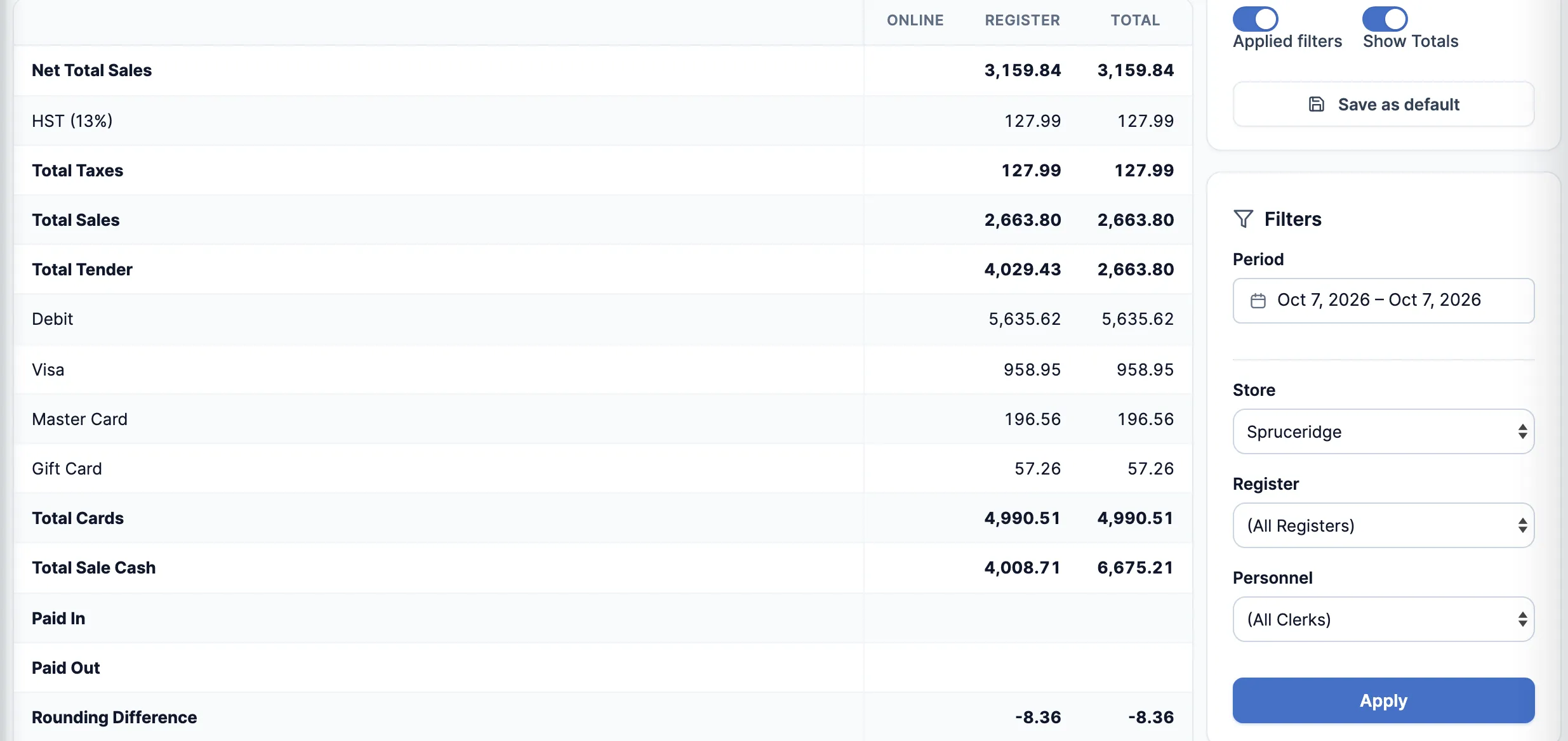
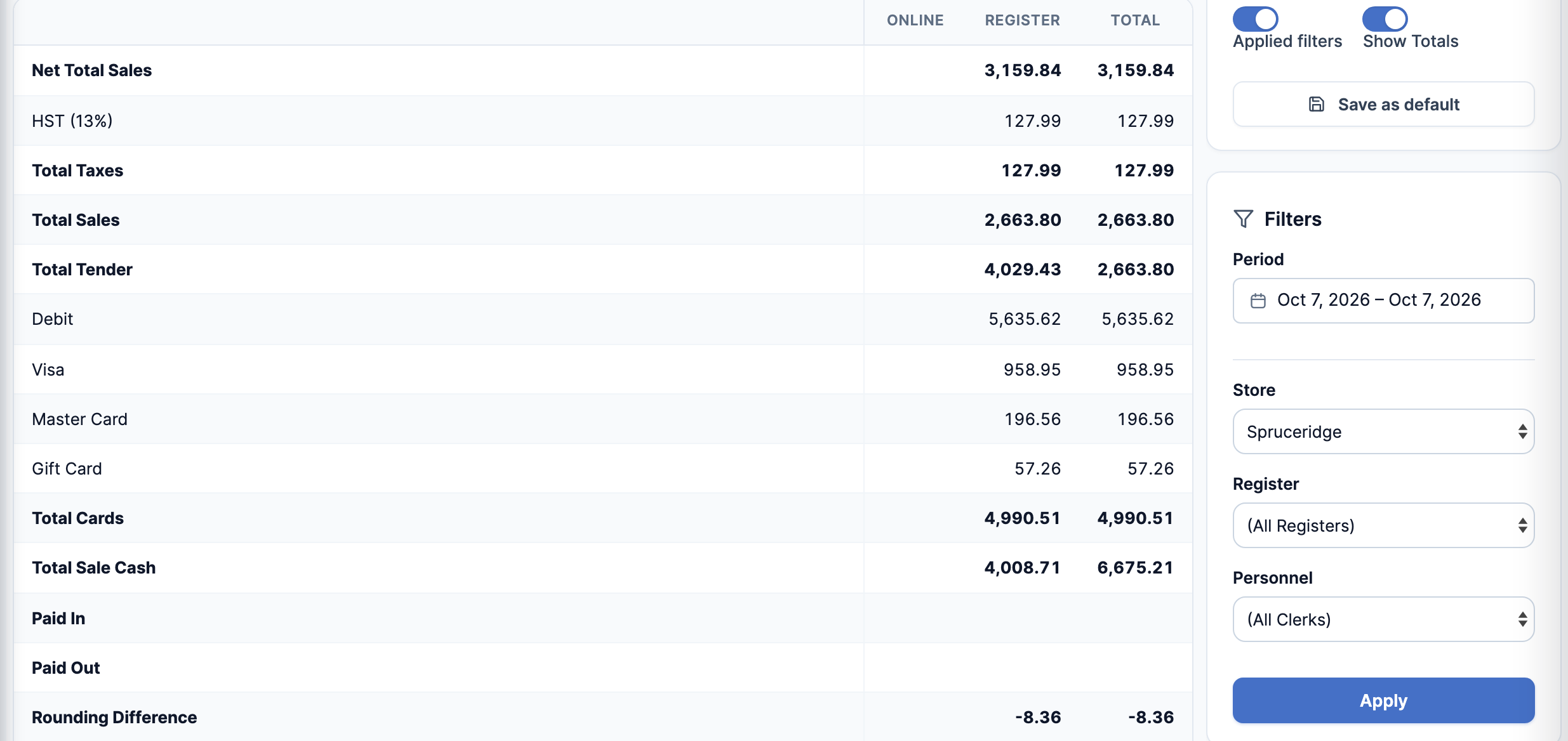
The top of the report is sales by category, then Net Total Sales (before tax), each tax, Total Taxes and Total Sales. Below that are the payments: each card type, Total Cards, Total Sale Cash, Paid In, Paid Out, Starting Cash Amount, Drop Cash Amount, Void and Refund. Online is online orders and Register is sales at the registers.
The other end-of-day reports
Section titled “The other end-of-day reports”Open each one from Reports the same way.
-
Daily Payment Totals by Store: one row per store per day, with the money taken by payment type. Card columns include tips, the way your card terminal’s batch does. Less: Tips takes them back out, so Total is what customers paid for their purchases.

-
Z-Out Item Sales: every item sold at one store, with Net Total, tax and Total. Pick SKU, Description or Group under Group By for totals. It opens on POS Transactions Only, so sale invoices are left out until you change it.
-
Sales Transactions: every receipt, with the staff member, status, total and how it was paid. It’s also in the menu on its own. Click a receipt number to open the receipt.

Good to know
Section titled “Good to know”- Each report has its own switch in the Staff editor: Cash Out & Tips, Z Out and Sales Transactions.
- The reports don’t all cut the day at the same time, and some count before tax. See Why report totals differ.
- Cash shortage on the Cash Out report isn’t a drawer count. The counted variance is on the POS Close Drawer Count.